SharpCell.Grid
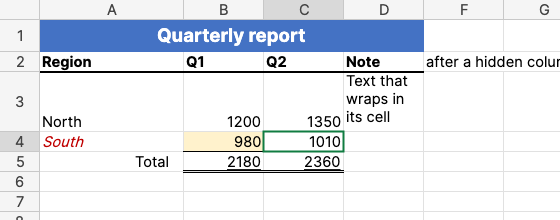
A free (MIT) Excel-like spreadsheet control for .NET 8 and later, built on the SharpCell formula engine. It shows a worksheet the way Excel does: each cell's value in its number format and its style, the file's column widths and row heights, merged cells, frozen panes and text running on over empty cells.
Try it in your browser: open your own .xlsx file; it is read on your computer and never uploaded.
| Package | What it does |
|---|---|
SharpCell.Grid |
Geometry, hit testing, scrolling and painting, with no UI framework. |
SharpCell.Grid.Avalonia |
SpreadsheetView, the control for Avalonia UI. Brings SharpCell.Grid with it. |
SharpCell.Grid.Wpf |
SpreadsheetView, the same control for WPF on Windows. Brings SharpCell.Grid with it. |
Namespaces: SharpCell, SharpCell.Xlsx and SharpCell.Grid.Avalonia.
Workbook workbook = XlsxReader.Load(path);
workbook.Recalculate();

var view = new SpreadsheetView { Worksheet = workbook["Budget"] };
Only the visible cells are read when the grid paints, so a sheet of a million rows scrolls like
an empty one. What a cell shows comes from SharpCell: Cell.Text for the value through its number
format, Cell.Style for the font, fill, borders and alignment. Both are checked against Microsoft
Excel.
Status: 0.x, viewing, selecting, copying, editing, the fill handle, rows and columns resized, inserted and deleted, and zoom, in Avalonia and WPF; see the roadmap. The API may change between minor versions until 1.0.